
AI Image Humanizer
Target the waxy skin, glow and haze on an AI image with the instruction already written, aiming to keep subject and pose.
- First image free
- No sign-up
- No credit card
- No prompt to write
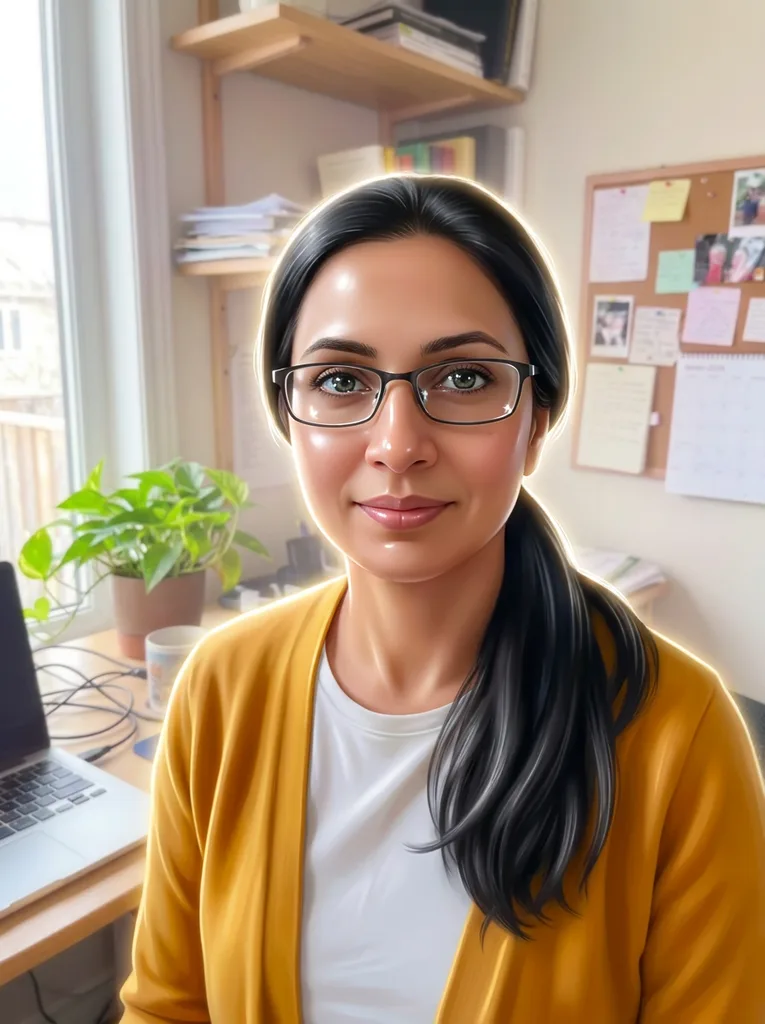 Before
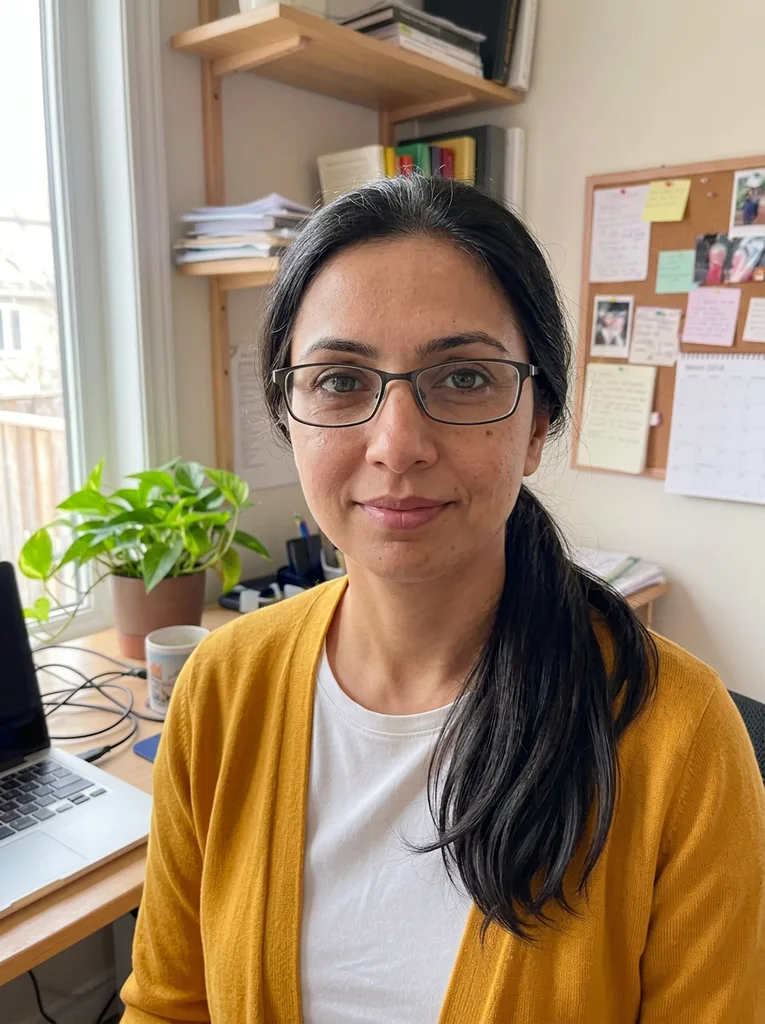 After
Example result. Upload your photo to make yours.
How to humanize an AI image
The AI image humanizer takes three steps, one image per run.
- 1
Upload the AI image
Click or drag in a JPG, PNG, WebP or HEIC up to 10 MB. It can come from any generator, such as ChatGPT, Midjourney, Gemini or Flux.
- 2
Keep the instruction, or add to it
No prompt to write: the box comes filled with the full humanize instruction, up to 2,000 characters. Run it as is, or add a line for the one thing that still looks fake.
- 3
Press Humanize Image and download
The AI image humanizer result appears beside your original. Compare the face and details at full size, then press Download.
AI image humanizer examples: five kinds of AI image
Tested on November 16, 2026: each pair is one run of the AI image humanizer with the instruction the box comes with, not retouched afterwards.
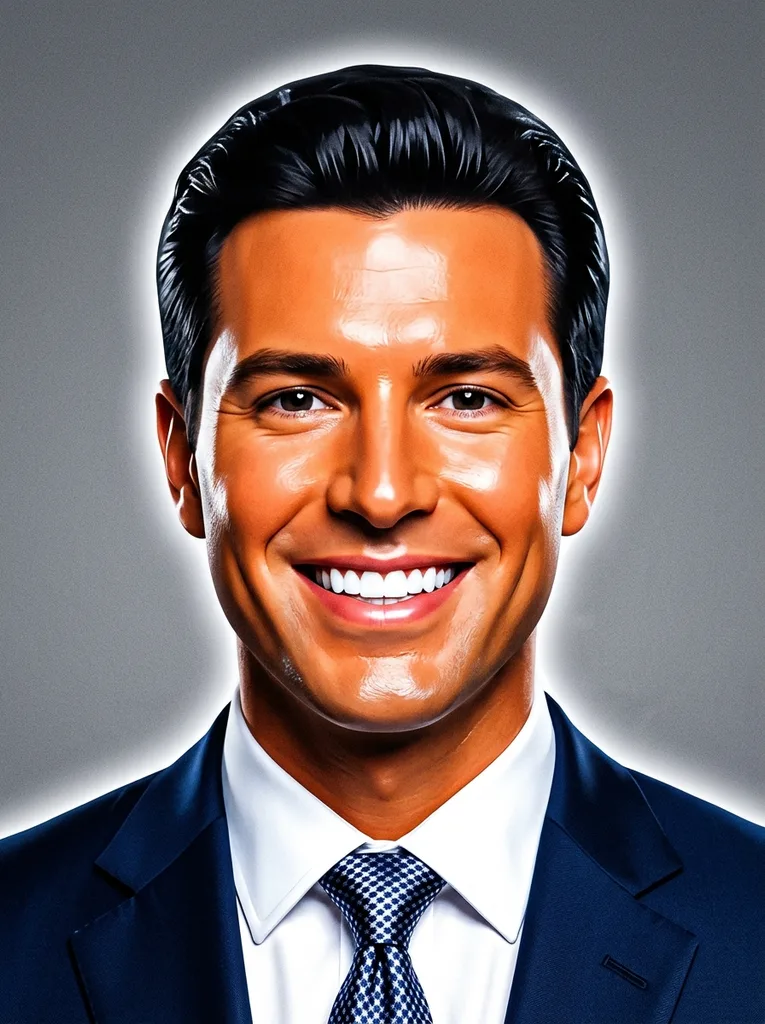 Before
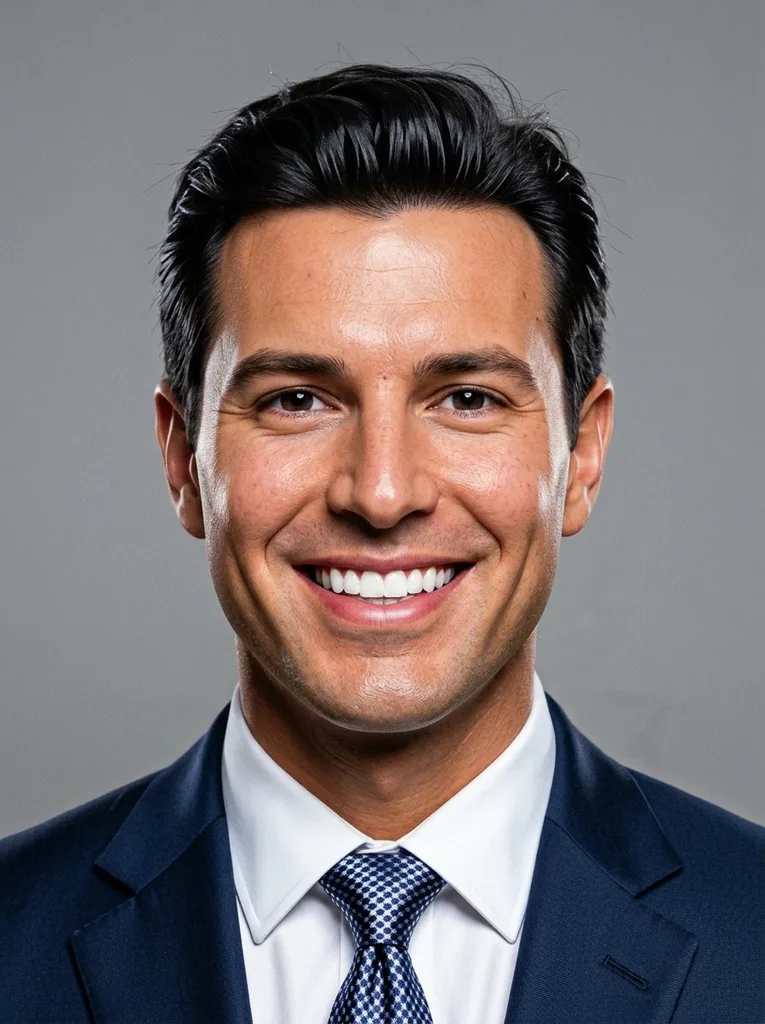 After
Humanize an AI headshot before it goes on LinkedIn
This AI headshot had a halo, orange waxy skin and hair molded into one glossy shape. After one run the halo is gone, the background is plain grey and the face has pores, fine lines and an everyday skin tone. In our test the man, suit, tie and framing stayed the same.
- Profile photo
- Halo
- Skin texture
 Before
 After
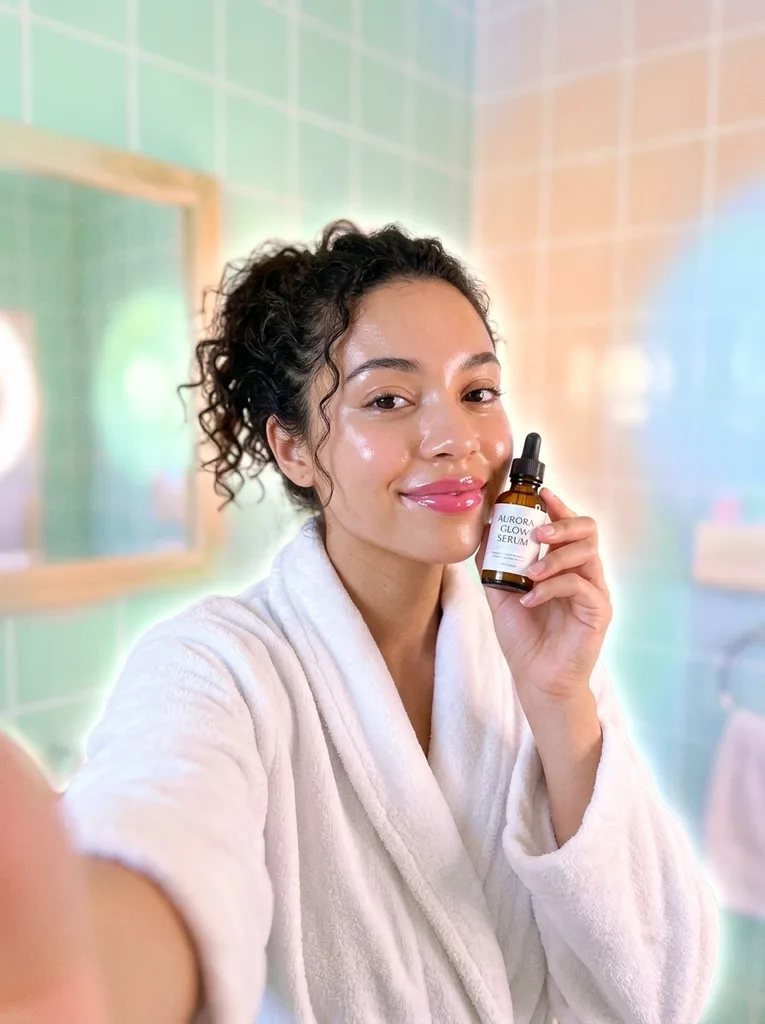
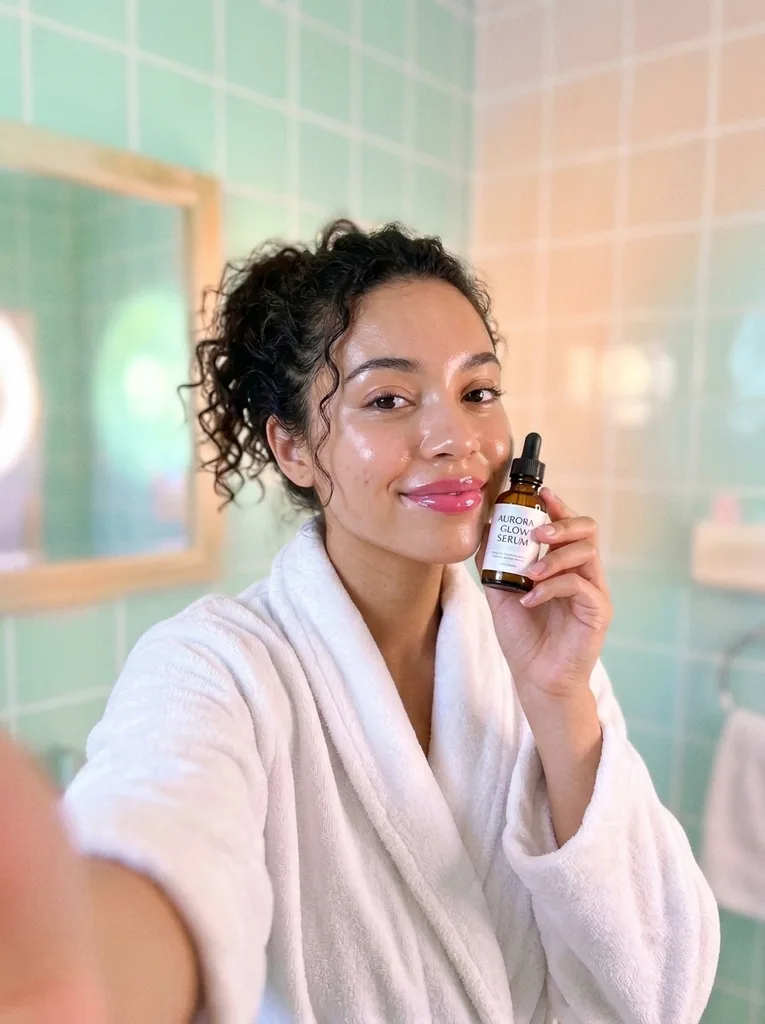
Humanize AI UGC before it runs as an ad
This skincare ad had airbrushed skin, a glowing outline and a pastel haze. After the run the glowing outline and the pastel haze over the bathroom are gone, and the bottle, label and robe stayed where they were. The shine on her cheeks and lips was toned down rather than removed. To work on the shine, add a line for it in the box (see the FAQ below); another run uses credits after your free image.
- UGC ad
- Glow
- Product kept
 Before
 After
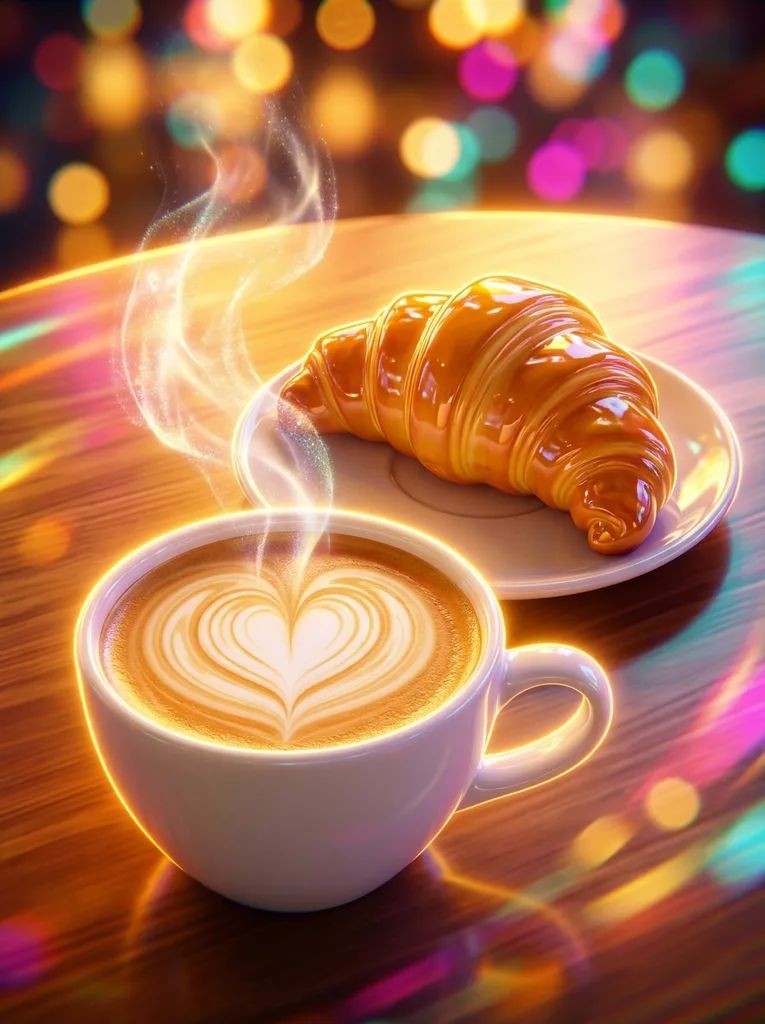
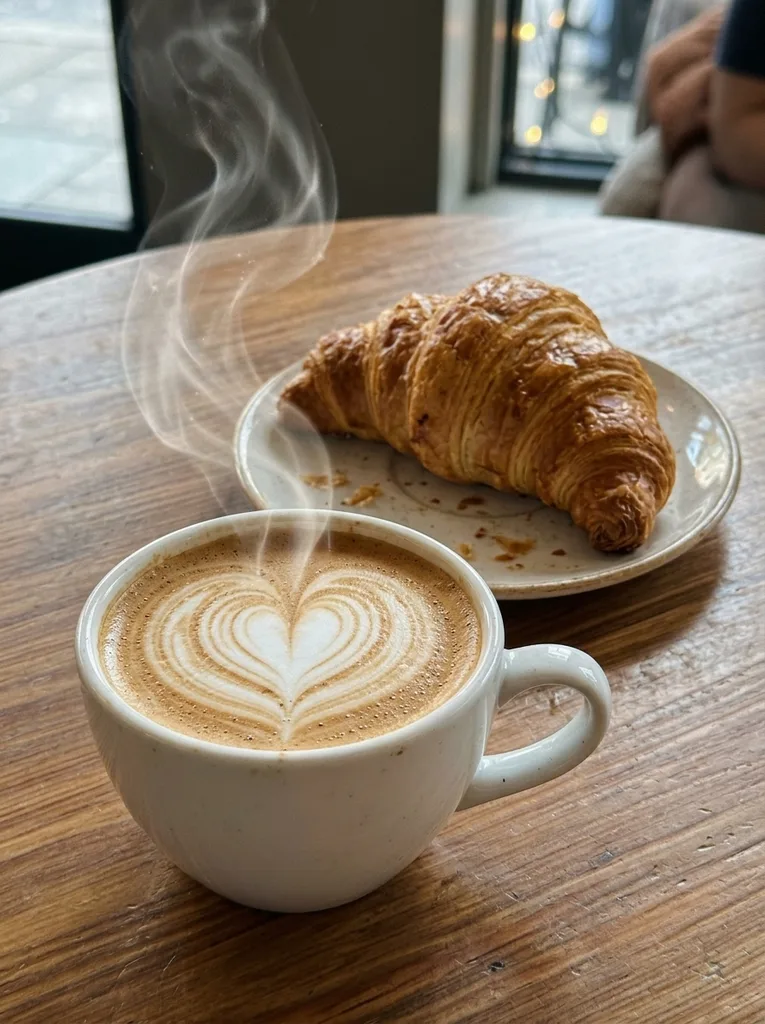
Humanize an AI food photo for a menu
A pastry that looks varnished makes the food look fake too. This croissant looked lacquered, the cup glowed and the background was a blur of colored lights. The humanized version has a flaky, matte croissant with crumbs on the plate and ordinary steam. The cup, the latte art and the layout held; the colored lights became a cafe window.
- Menu photo
- Food
- Plastic gloss
 Before
 After
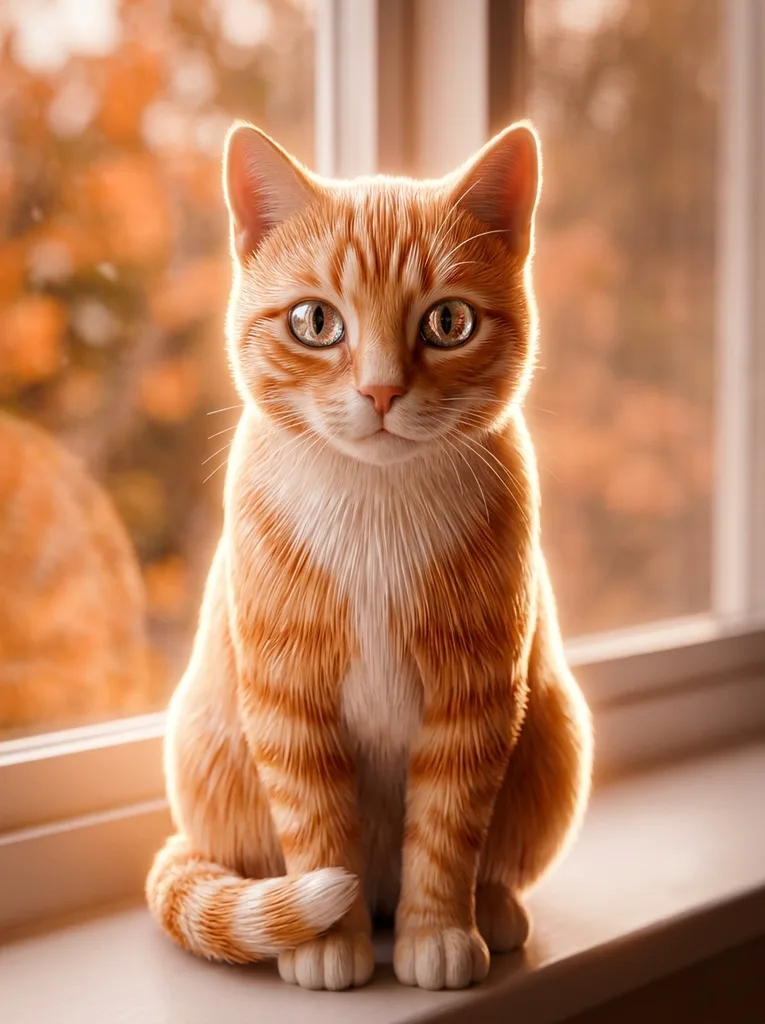
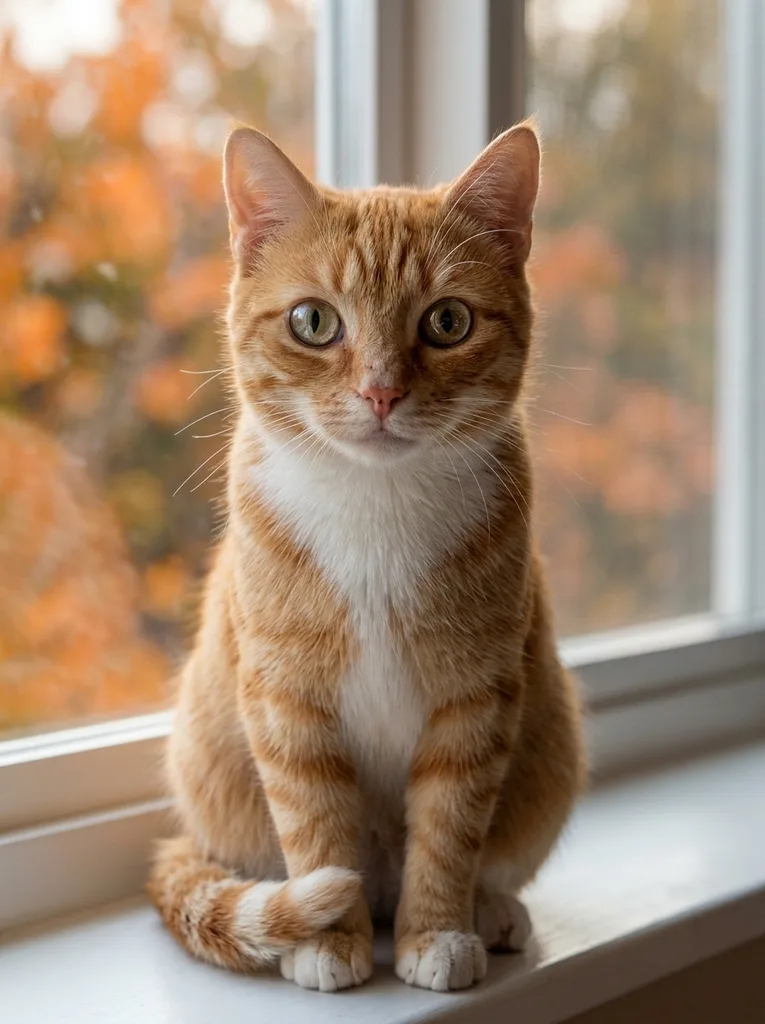
Humanize an AI pet photo, not only faces
Painted fur gives a pet photo away as fast as waxy skin gives away a face: every strand glossy, the outline glowing. After the run the ginger coat is softer and uneven, the rim light is gone and the eyes look less like glass. Same cat, same pose, same windowsill.
- Pet photo
- Painted fur
- Rim light
 Before
 After
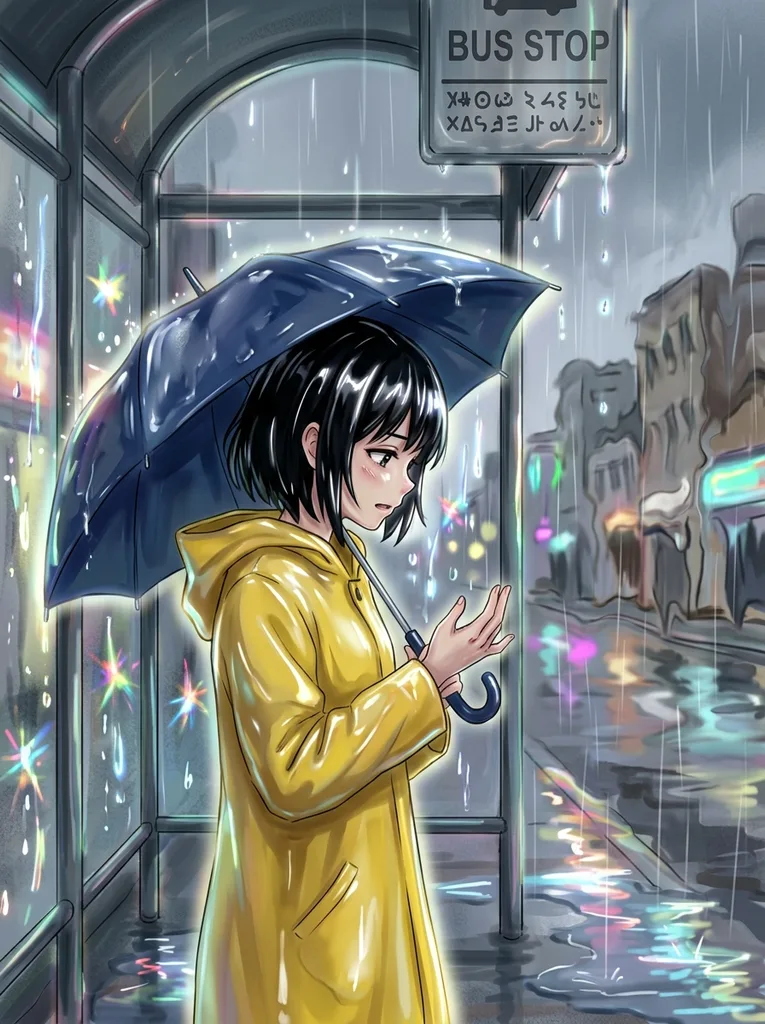
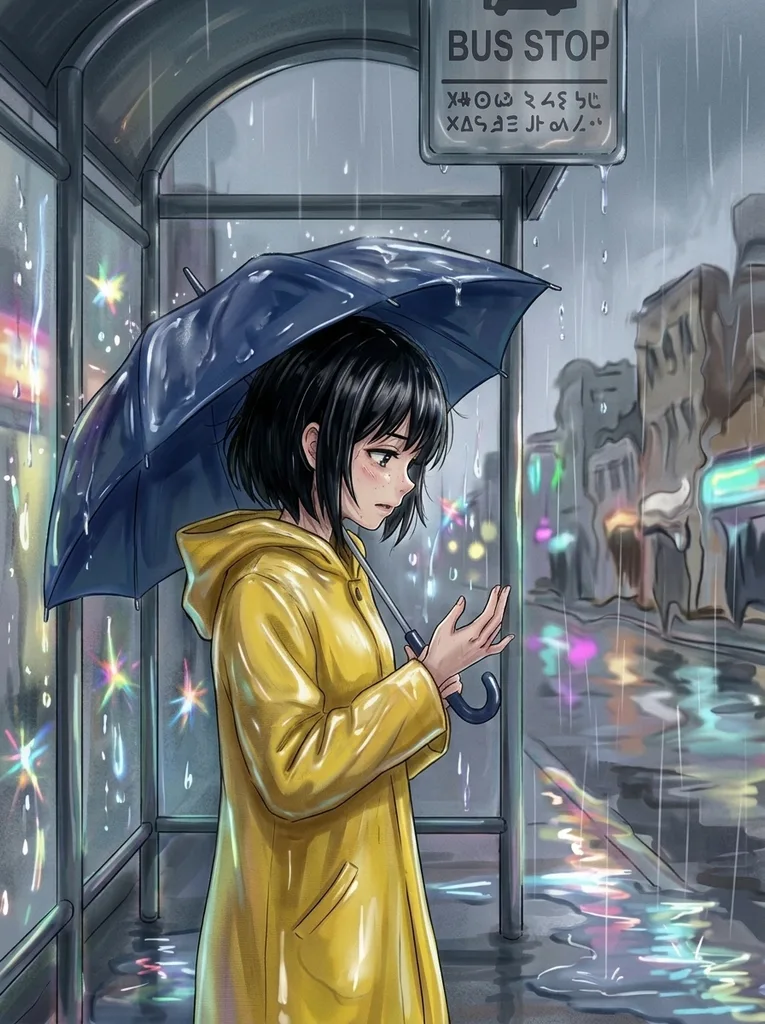
Humanize AI anime art and keep it drawn
On a drawing the AI tells are the bloom and the glowing outlines, not the style. On this anime image the glowing outline around the girl went away and the shading got calmer; the colored sparkles and bright reflections in the background stayed. The line art, colors and rainy bus stop stayed drawn, and the garbled letters on the sign stayed garbled: this is not a text fixer.
- Illustration
- Style kept
- Bloom
Six signs that make an AI image look fake
The prefilled instruction targets all six at once: skin texture, glow, light, color, shapes and camera grain.
Waxy, poreless skin
Real skin has pores, fine lines, small marks and uneven tone. AI skin is often one airbrushed surface with a plastic shine. In our headshot test the result showed pores and fine lines.
Glow and halos
A white outline around a head or a cat, bloom on every edge, a dreamy haze. In our headshot, cat and anime tests the outline was gone after one run.
Light from everywhere
Many AI images light every side evenly with no clear source, which reads as staged. Everyday photos usually have a main light and shadows that agree with it.
Candy-coated colors
AI often grades every pixel like a perfume ad: saturated, contrasty and noise-free. The pass pulls color toward everyday tones, like the orange skin in our headshot test.
Too-perfect shapes
Symmetric faces, hair molded into one mass, fur where every strand matches. Real subjects are slightly uneven: flyaways, separate strands, a coat that is softer in places.
No trace of a camera
Real photos usually carry a little sensor noise and focus falloff, and many AI renders are very clean. The prefilled instruction asks for a touch of grain.
Who uses an AI photo humanizer
Work profile headshots
A headshot that looks AI-made stands out on LinkedIn or a company page. Pores and plain light make it look like an ordinary portrait.
UGC-style ads
An ad meant to look customer-shot can come out airbrushed. In our skincare test the outline and haze went while the bottle, label and robe stayed.
Menus and product shots
Varnished food and products are a common AI tell. In our croissant run the glossy finish became a matte, flaky crust with crumbs on the plate.
Pets and family pictures
Generated fur and faces get the same plastic finish. The pass works on animals too, as the cat example shows.
AI illustrations and anime
Keep the art style and lose the AI bloom and glow. The picture stays a drawing.
Creators posting AI images
Run an AI image through the AI image humanizer before it goes into a post or carousel, so its skin and light sit closer to the real photos around it.
AI image humanizer vs re-prompting vs retouching
Re-prompting is what most people try first, and every re-roll risks the image you already like.
| This tool | Re-prompting the generator | Manual retouching | |
|---|---|---|---|
| What you do | Upload, keep or edit the box, press the button | Rewrite the prompt and roll again | Grain, dodge and burn and color work by hand |
| Keeps your image | Aims to keep subject, pose and framing | No, each roll is a new image | Yes, you control every pixel |
| Fixes waxy skin and glow | It is built for that: our headshot gained texture and lost its halo | Sometimes, but on a new image | Yes, with enough skill |
| Skill needed | None, the instruction is written | Prompt wording | Photo editing software |
| Cost to try | First image free, then credits | Your generator plan | Software and your hours |
| Best for | An AI image you like that looks too smooth | A composition you want to change anyway | One hero image that needs pixel control |
More AI photo tools from IVJ
 Make Image Look Less AIMake image look less AI with the lightest pass: tone down glow, neon color and waxy skin, aiming to keep the style. First image free, no sign-up.
 Image RealisticImage realistic redraws anime, 3D renders, game screenshots and AI art toward a photo, with real skin, light and lens, aiming to keep pose and layout.
 AI Photo EditorAn AI photo editor you run with words: describe a new image, or add photos and say what to change. Your first image is free, no sign-up.
 4K Image UpscalerThis 4K image upscaler enlarges one photo to a 2K, 4K or 8K target, and the panel shows how much before you start. Your first image is free, no sign-up needed.