
Image Realistic
Image realistic redraws anime, 3D renders, game screenshots and AI art toward a photo, with real skin, light and lens, aiming to keep pose and layout.
- First image free
- No sign-up
- Never used for training
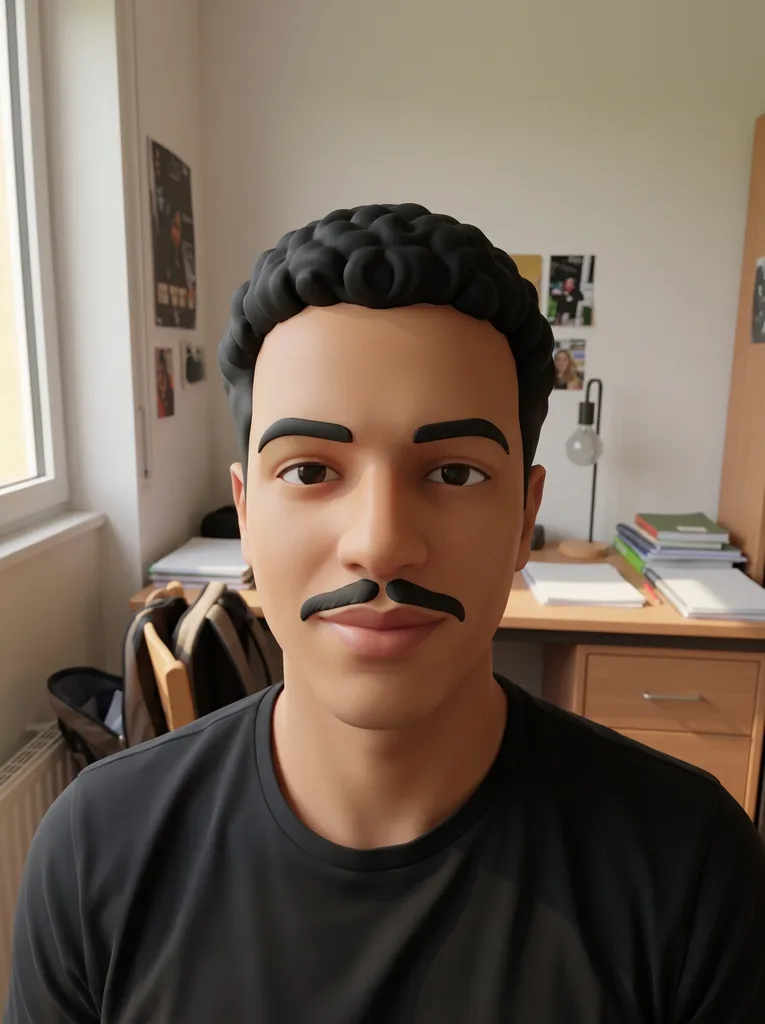 Before
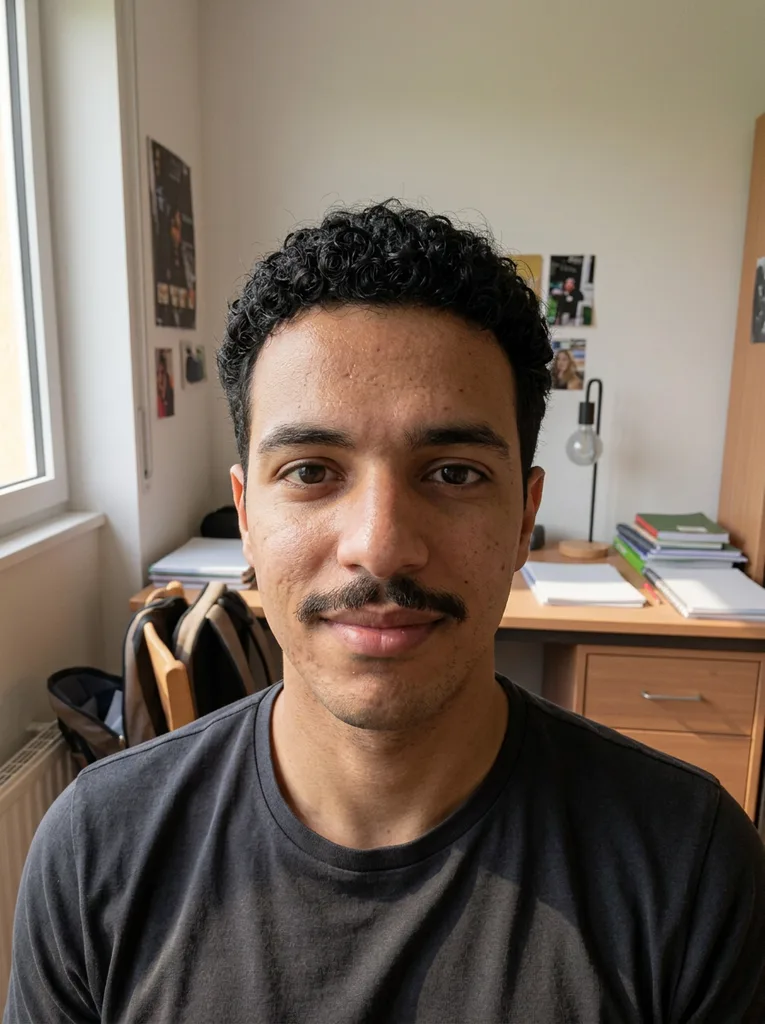 After
Example result. Upload your photo to make yours.
Make an AI image realistic in 3 steps
Upload the picture, check the photo instruction, download the result.
- 1
Upload the picture
Drop in an anime frame, a game screenshot, a painting, a 3D render or an AI image: JPG, PNG, WebP or HEIC, up to 10 MB. Already have a realistic AI photo that only looks waxy? AI Image Humanizer is the lighter tool.
- 2
Run the camera instruction, or add a style
The box comes filled with the instruction for a real-camera look, and running it as it is makes a good first try. You can also add a line such as phone snapshot, DSLR portrait or overcast daylight. One free image covers the whole site.
- 3
Compare, then download
Put the photo next to your original and look at faces, hands, small text and jewelry, which are redrawn. When it looks right, download it.
Image realistic examples: anime, game, painting, 3D
Tested on November 17, 2026: each pair is one run with the instruction the box comes with, not retouched afterwards.
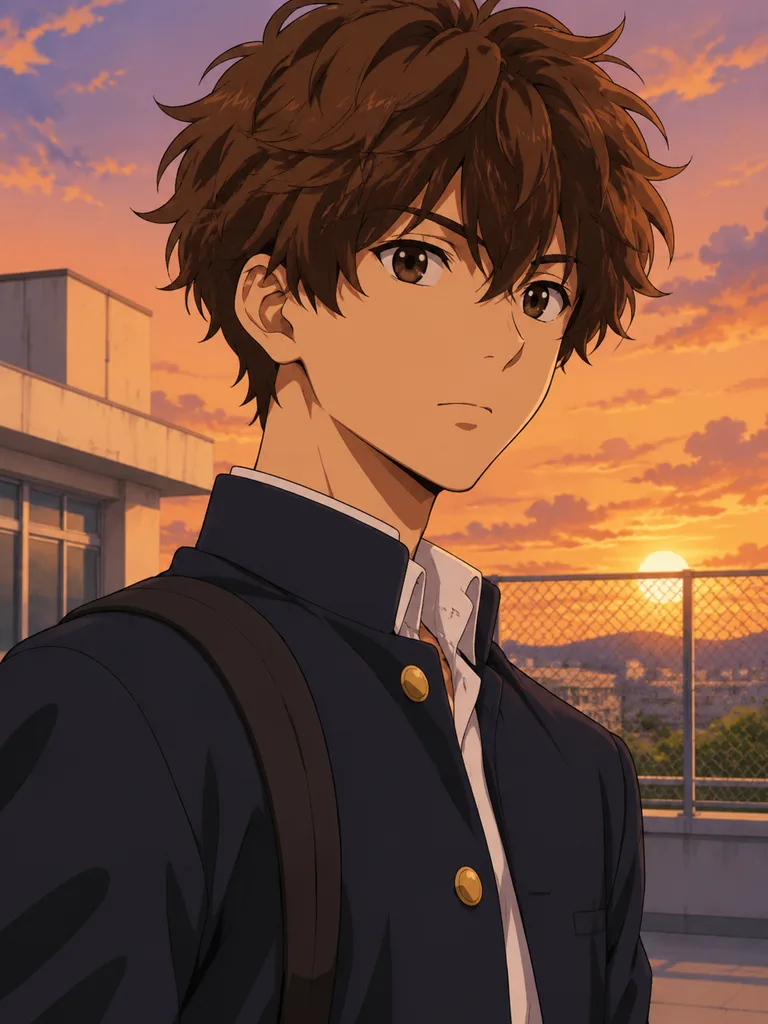 Before
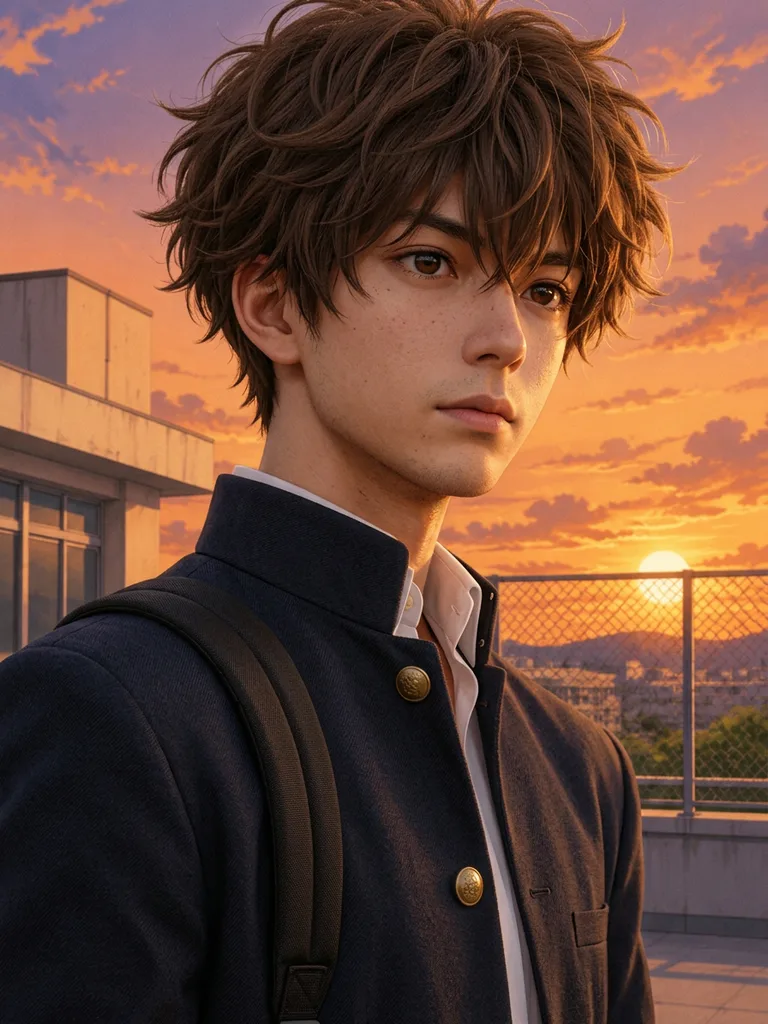 After
Turn an anime character into a real-life photo
Anime faces have huge eyes and flat color, and that style is exactly what this page replaces. In this run a schoolboy on a rooftop came back as a photo of a young man: same messy brown hair, uniform with gold buttons, bag strap, fence and sunset. His face, eyes and skin read as photographic.
- Anime
- Face to photo
- Style replaced
 Before
 After
Make an early-2000s game screenshot look photographed
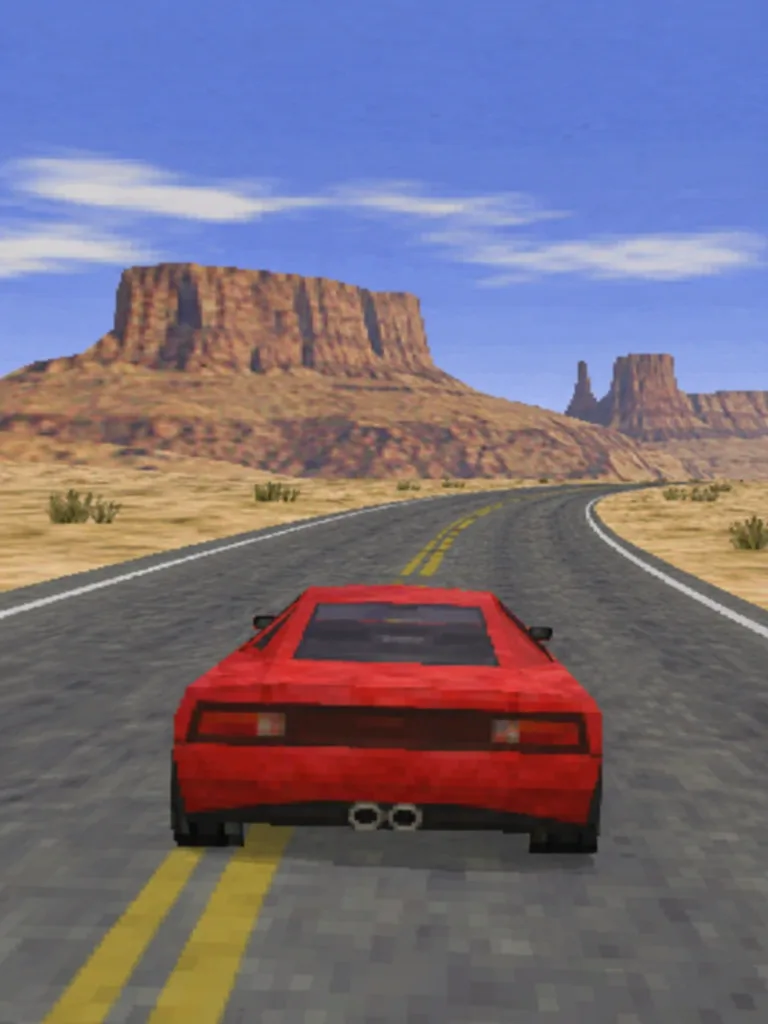
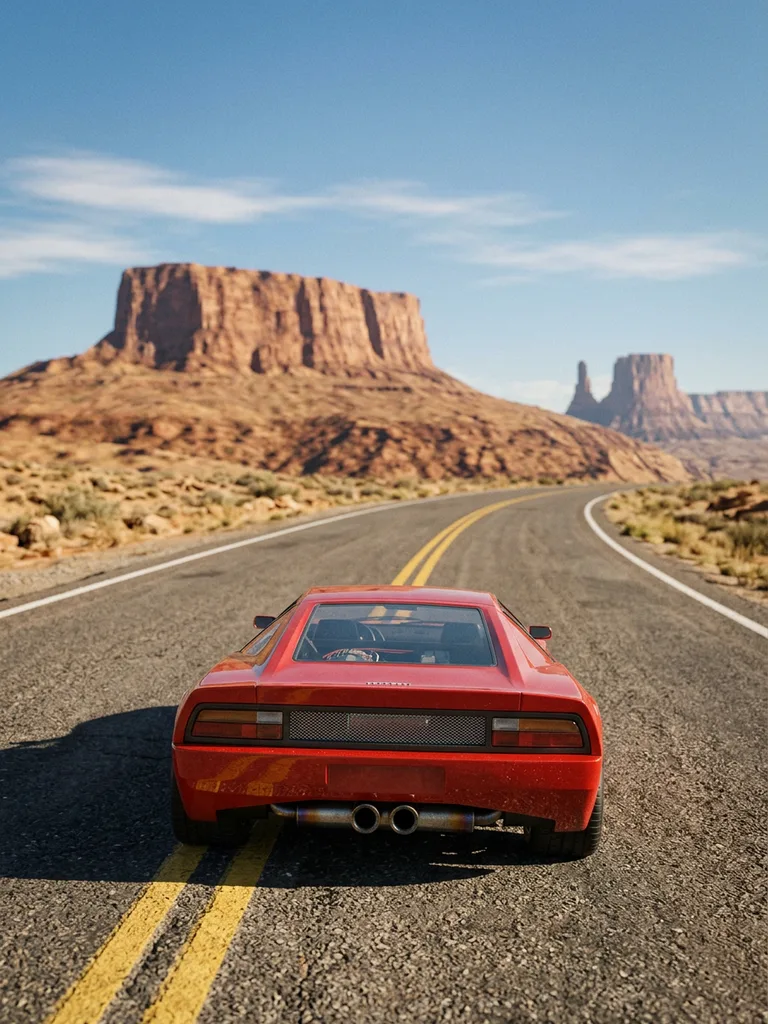
Low-poly shapes and blurry textures are the giveaway of an old game. Here a red sports car on a desert road came back with real asphalt, shadows and dust, on the same road with the same mesas. The car kept the shape the game gave it.
- Game screenshot
- Old graphics
- Road and dust
 Before
 After
Turn an oil painting into a photograph
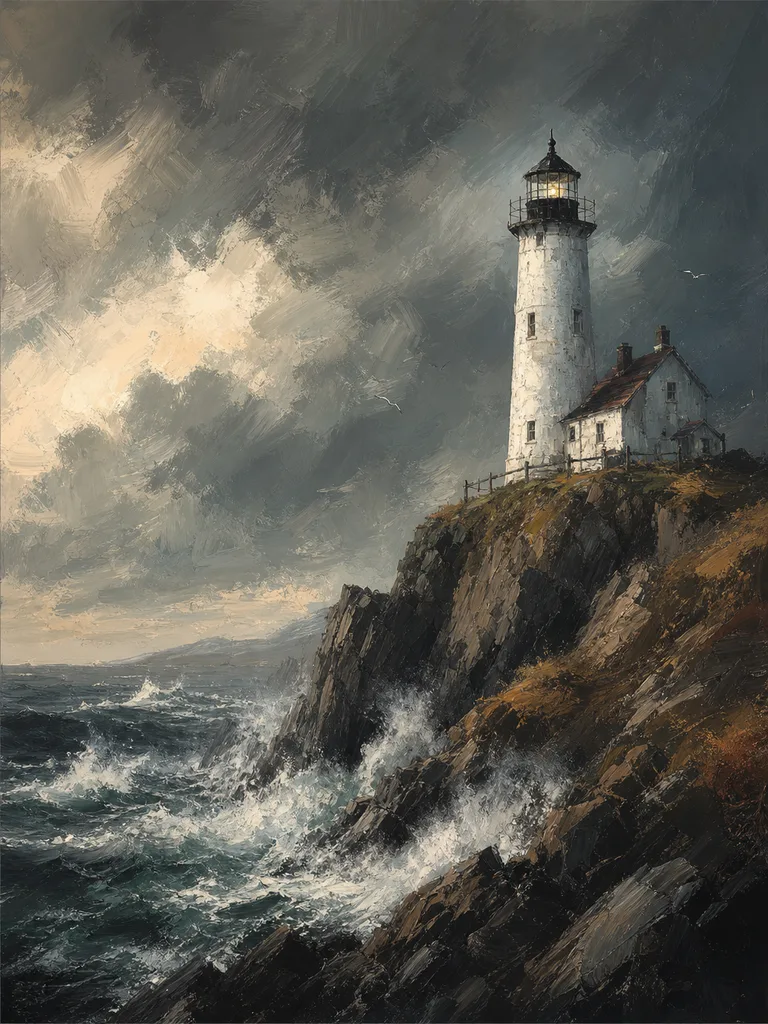
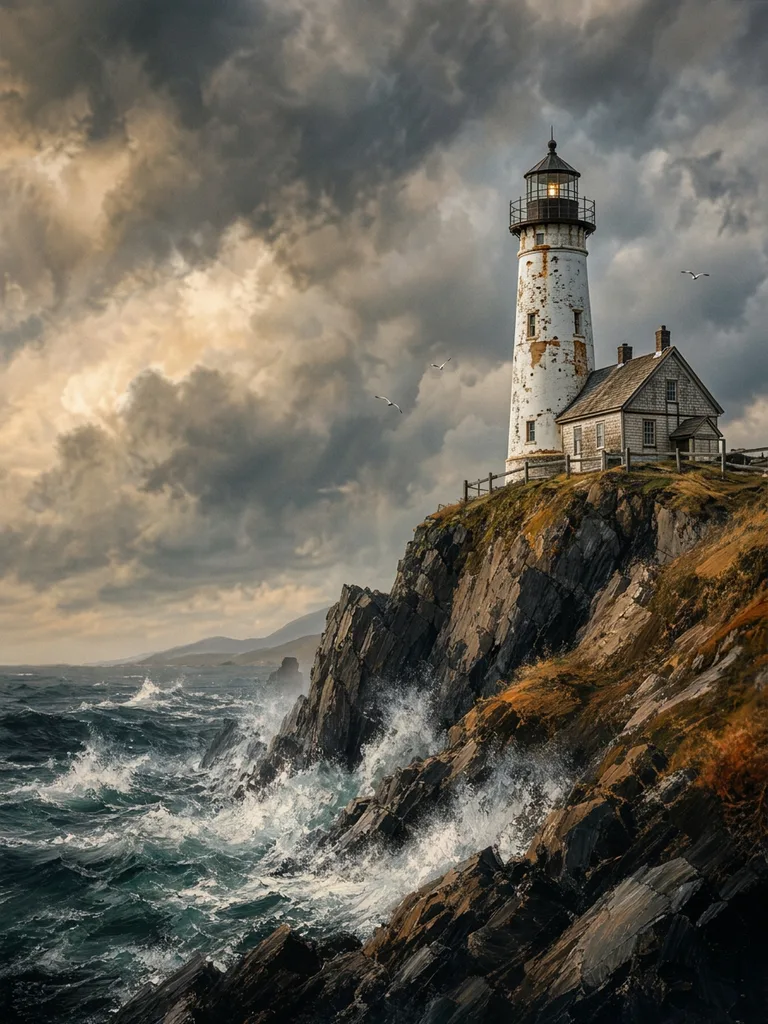
Loose brush strokes mark a picture as painted. This loose oil painting of a lighthouse on a stormy cliff came back as a photo of the same lighthouse, house and cliff, with breaking waves, weathered paint and real clouds. In this run the layout held while the brush strokes became photographic texture.
- Painting
- Landscape
- Brush strokes gone
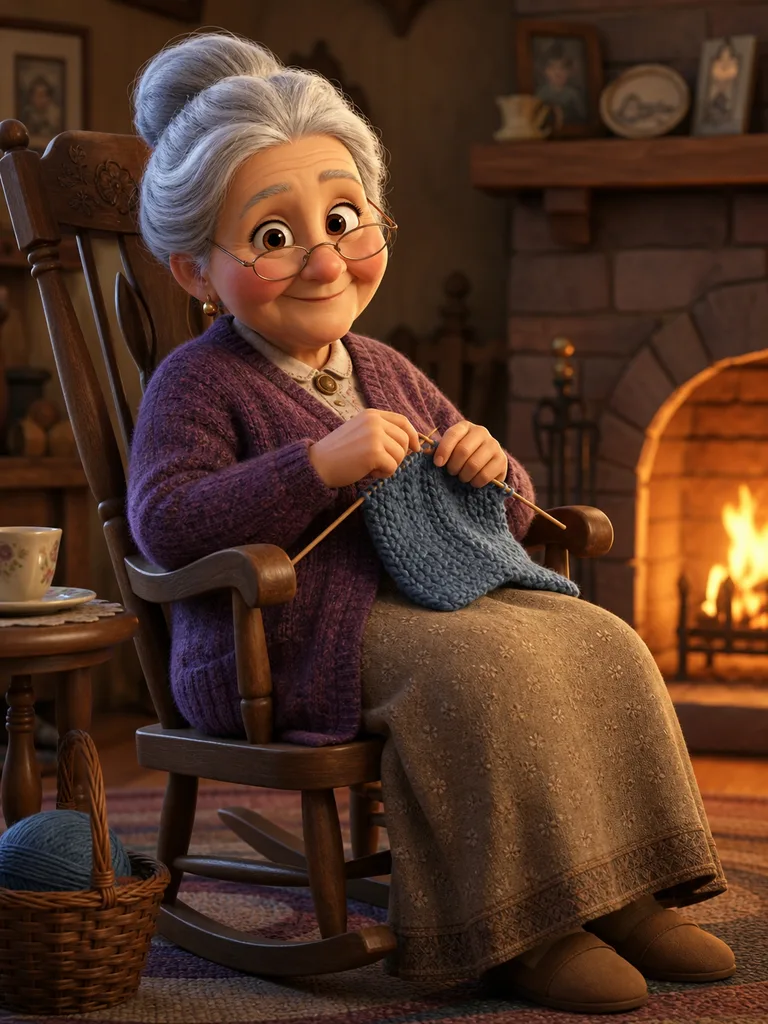 Before
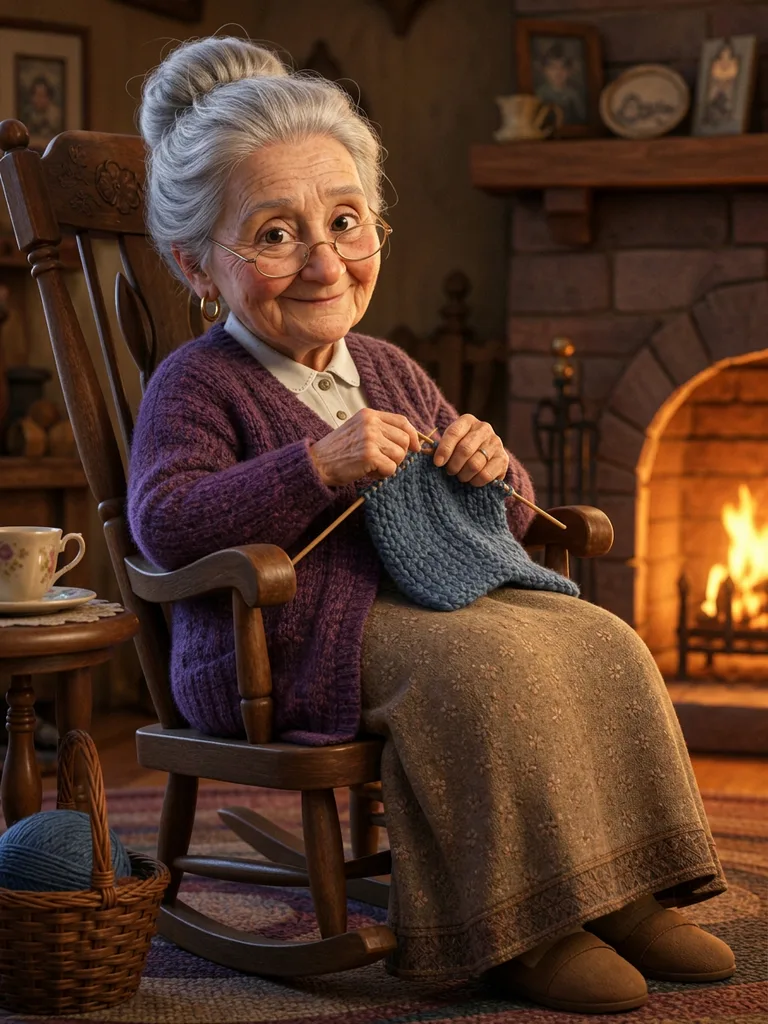 After
Turn a Pixar-style 3D render into a real person
Oversized eyes and smooth, waxy skin say render at a glance. In this run the 3D grandmother became a real elderly woman, with normal-size eyes, fine wrinkles and natural skin texture, while her glasses, cardigan, knitting and chair stayed.
- 3D render
- Character
- Skin and eyes
Image realistic: what changes when a picture becomes a photo
Four kinds of picture we ran, and what the instruction asks the model to add to every photo.
Anime becomes a real face
Flat color and oversized eyes give way to a photographic face, eyes and skin. Our anime schoolboy kept his messy hair, gold-button uniform and rooftop sunset.
Low-poly games get real surfaces
Blocky models and blurry textures become asphalt, dust and real shadows. Our early-2000s racing car kept its shape, its road and the desert mesas.
Paintings land on camera
Brush strokes give way to weathered paint, breaking waves and real clouds. Our lighthouse painting kept its cliff, house and layout.
3D characters turn into people
Oversized eyes and waxy CGI skin become normal-size eyes, wrinkles and skin texture. Our 3D grandmother kept her glasses, cardigan and knitting.
Real materials
The instruction asks for skin with pores, fabric with visible weave, hair in separate strands, and wood, metal and glass that reflect light the way they really do.
Camera light and lens
It also asks for one consistent light source with real cast and contact shadows, no glow, natural depth of field, softness toward the edges and fine grain.
Who uses a realistic image, and where
Explore photographic versions of drawings, renders and screenshots.
Game screenshots and mods
See how an old game scene would read as a photograph, with real surfaces and shadows. Our racing-game run kept the car's shape and road layout.
3D renders and characters
A render's skin and eyes often give it away. In our grandmother run both turned into a real person's, while the pose and clothes stayed.
Concept art and paintings
Preview how a painted scene might look through a lens before anyone builds it or travels there.
Anime and character art
Picture a drawn character as a real person. Faces change the most here, because anime style is what gets replaced.
Book covers and story art
Picture a painted or drawn scene as a photograph for a cover draft or a story pitch. Check faces and any lettering before you use it.
AI scenes for social posts
Try a photographic version of an AI picture before you post it, then compare it with the original before you publish.
Image realistic vs re-prompting vs a photo shoot
Three ways to a photographic picture, and when each fits.
| This tool | Re-prompting the generator | A photo shoot | |
|---|---|---|---|
| Starting point | The picture you already have | A revised prompt, with or without your image | A real place, person or object |
| Scene and subject | Aims to keep them | A new image, or a new take on yours | Whatever you shoot |
| Input types | Anime, game, painting, 3D, AI image | Text or your own generator | Real things only |
| Control over the look | An editable instruction | Full prompt control | What you set up and shoot |
| Effort | Upload, press, download | Write and test prompts | Planning, gear and time |
| Fits best when | The picture is right, only its style is not | You want a different scene or composition | It must show something real |
More AI photo tools from IVJ
 AI Image HumanizerTarget the waxy skin, glow and haze on an AI image with the instruction already written, aiming to keep subject and pose.
 Make Image Look Less AIMake image look less AI with the lightest pass: tone down glow, neon color and waxy skin, aiming to keep the style. First image free, no sign-up.
 AI Photo EditorAn AI photo editor you run with words: describe a new image, or add photos and say what to change. Your first image is free, no sign-up.
 4K Image UpscalerThis 4K image upscaler enlarges one photo to a 2K, 4K or 8K target, and the panel shows how much before you start. Your first image is free, no sign-up needed.