Make Image Look Less AI
Make image look less AI with the lightest pass: tone down glow, neon color and waxy skin, aiming to keep the style. First image free, no sign-up.
- First image free
- No sign-up
- No credit card
- No prompt to write
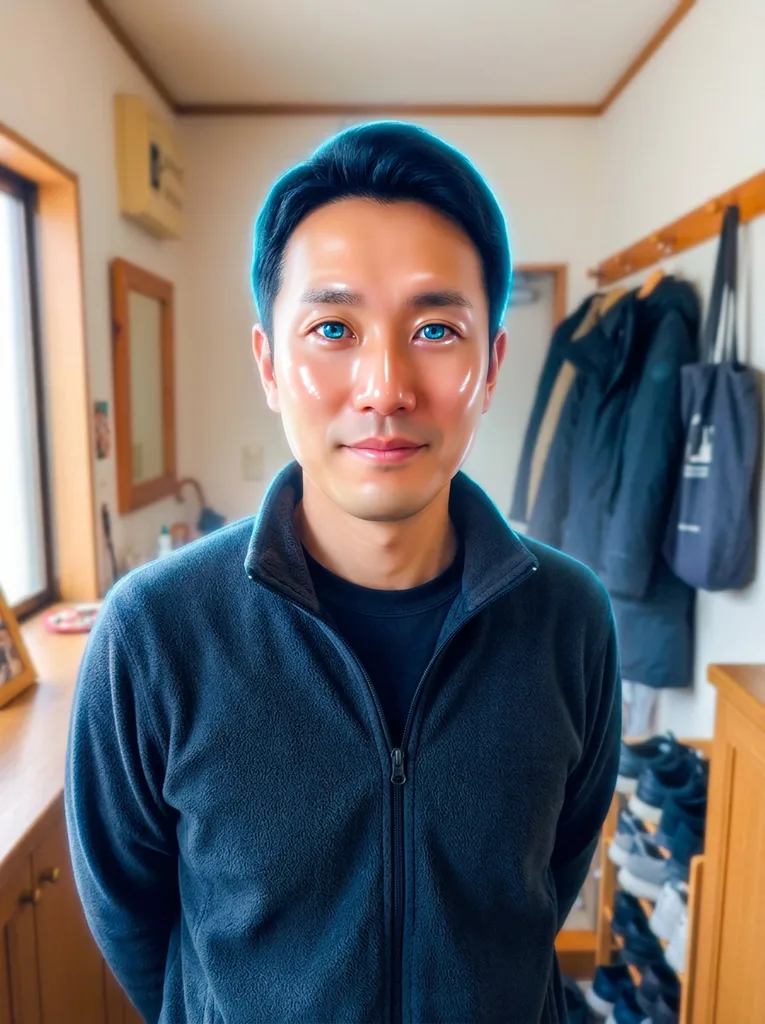 Before
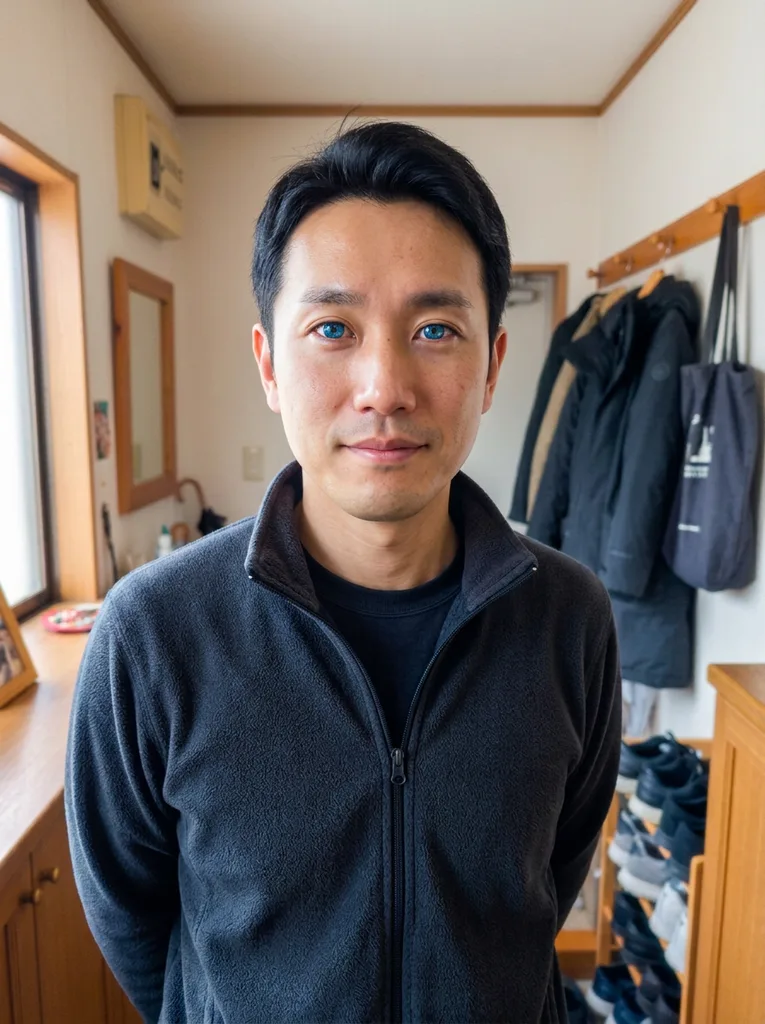 After
Example result. Upload your photo to make yours.
How to make photo look less AI in three steps
One image per run, and the result appears beside your original.
- 1
Upload the image that looks too AI
Click or drag in a JPG, PNG, WebP or HEIC up to 10 MB. A portrait, product shot, scene or illustration from any generator will do.
- 2
Run the instruction, or narrow it
The box comes filled with the lightest-pass instruction. Run it as it is, or name the one thing that bothers you, such as the glow or the color: the model takes that as a steer, not an exact command.
- 3
Compare, then download
Look at the result next to your original, zoomed in, then press Download. One free image covers the whole site; after that, the price in credits is shown before you generate.
Make image look less AI: four test runs
Tested on November 17, 2026: each pair is one run with the instruction the box comes with, not retouched afterwards.
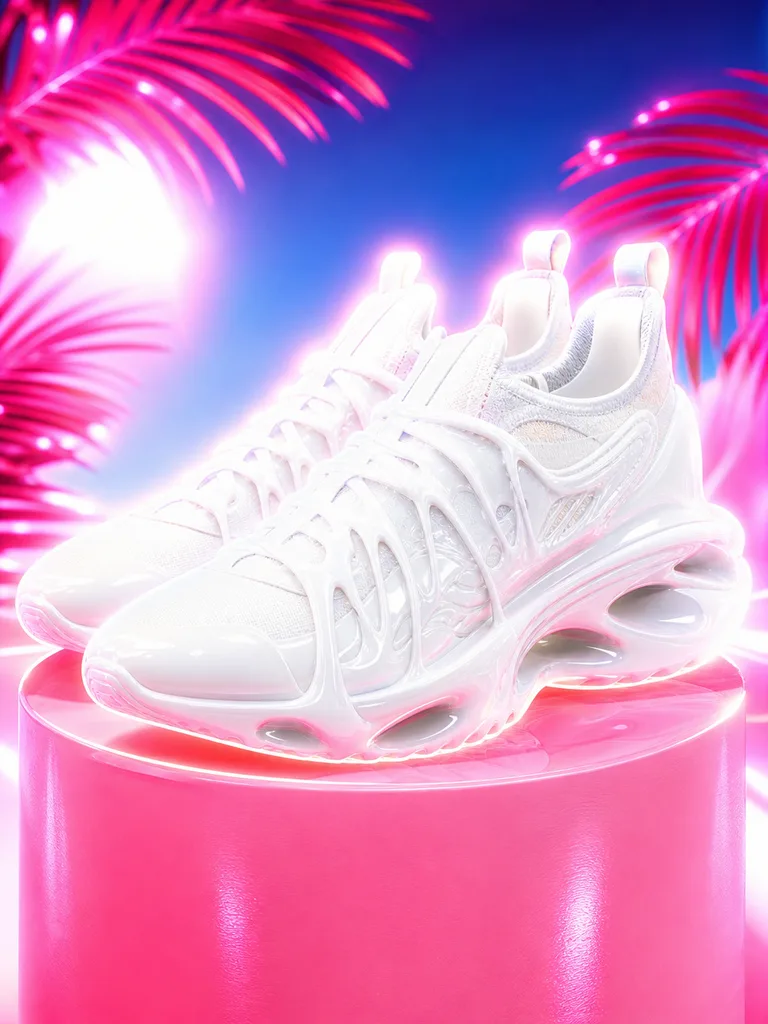 Before
 After
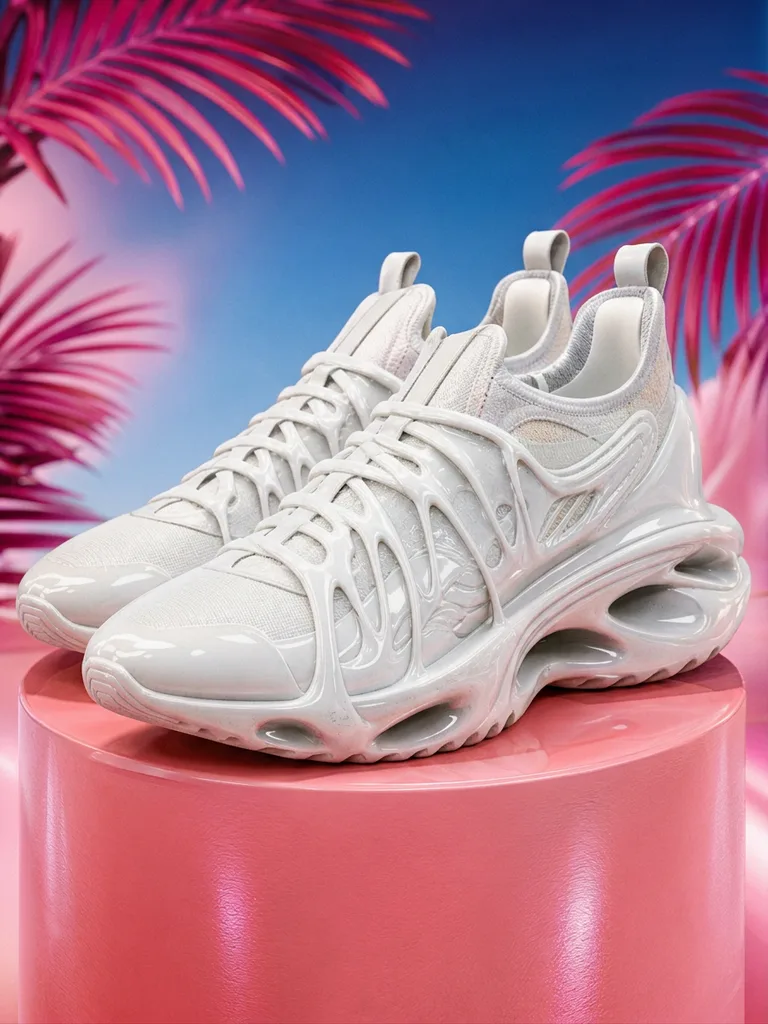
Make image look less AI on a neon product shot
A glowing halo, bloom and neon pink sat around these sneakers. In our run the halo and the bloom are gone and the neon settled into soft pink and blue. The shoes, pedestal and palm leaves stayed. The laces still merge into the upper.
- Product shot
- Neon color
- Halo
 Before
 After
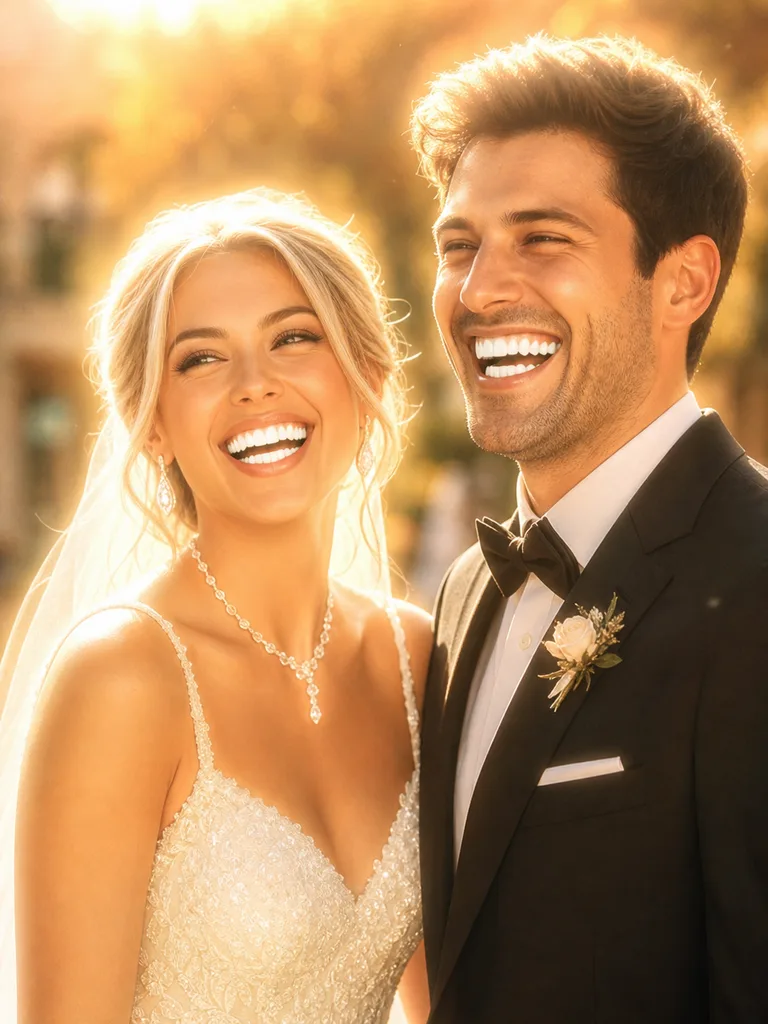
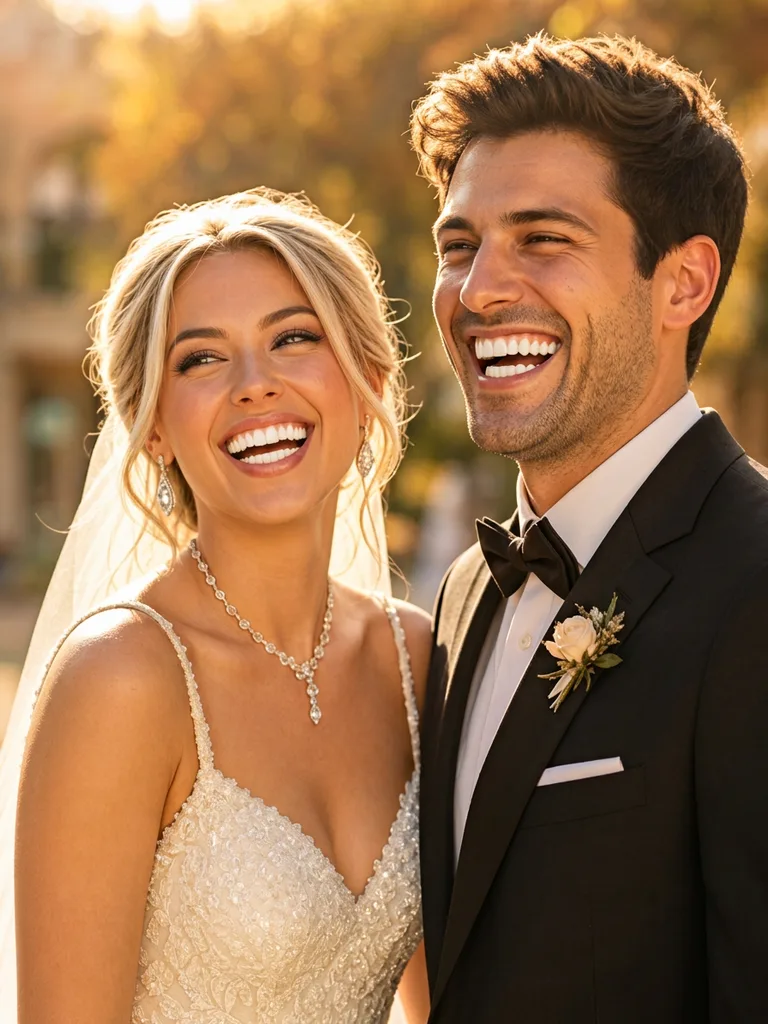
Remove the golden haze from an AI wedding photo
This AI wedding photo had blown-out backlight, a golden haze over hair and faces, and waxy skin. After the run the haze around the hair and faces is gone, the exposure is calmer and the skin shows texture. The couple, earrings, necklace, veil and framing stayed. The teeth are still very white.
- Wedding
- Haze
- Skin texture
 Before
 After
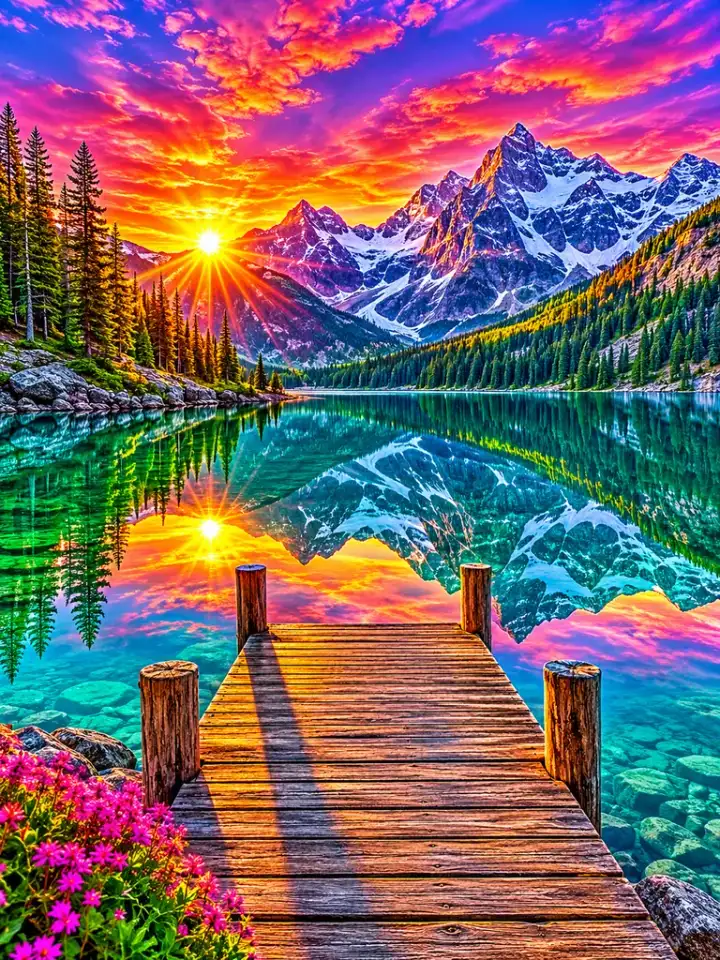
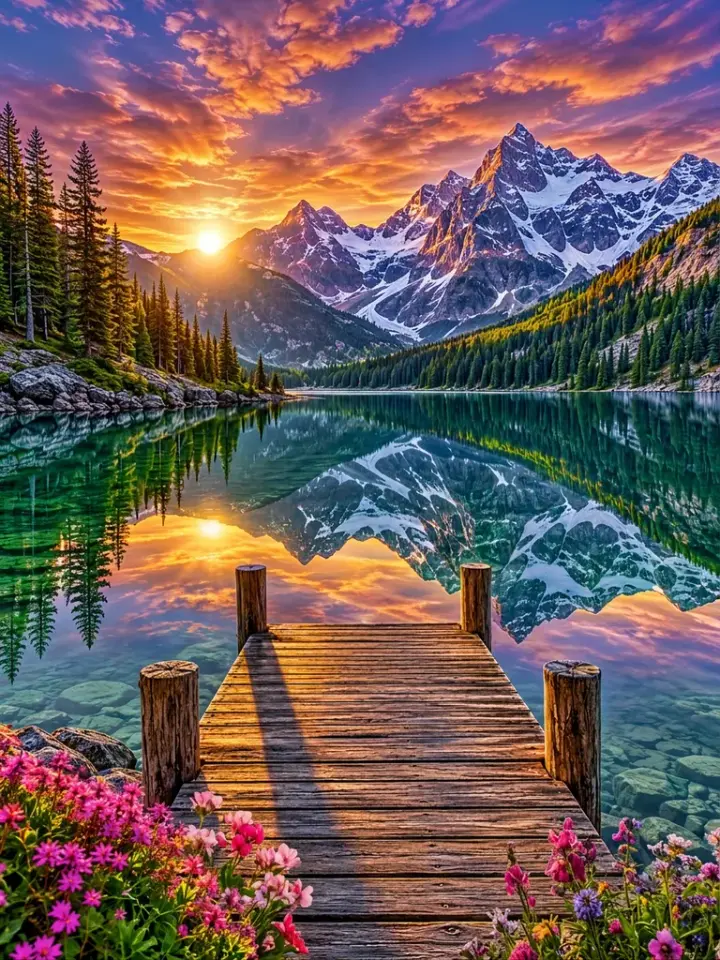
Make image look less AI on an HDR landscape without muting it
Turquoise water, a magenta sky and a starburst sun are the extreme-HDR look. In this run the neon toned down toward a natural sunrise, the starburst got smaller and the water is less turquoise. The lake, dock and peaks kept their layout; the flowers in the foreground changed. It is still a vivid image, not a muted one.
- Landscape
- HDR color
- Starburst
 Before
 After
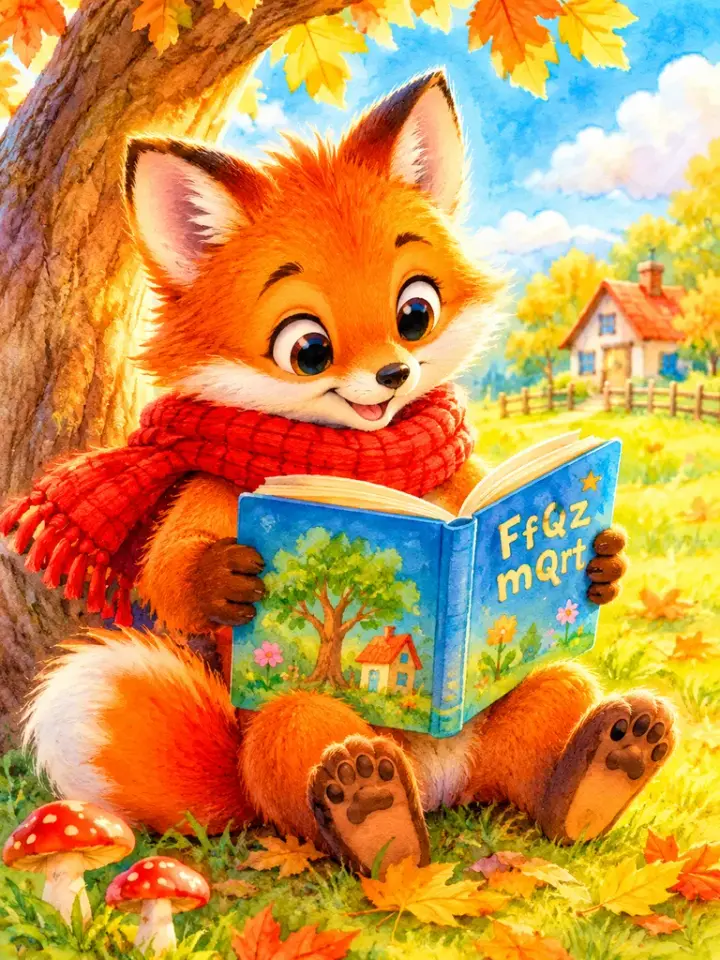
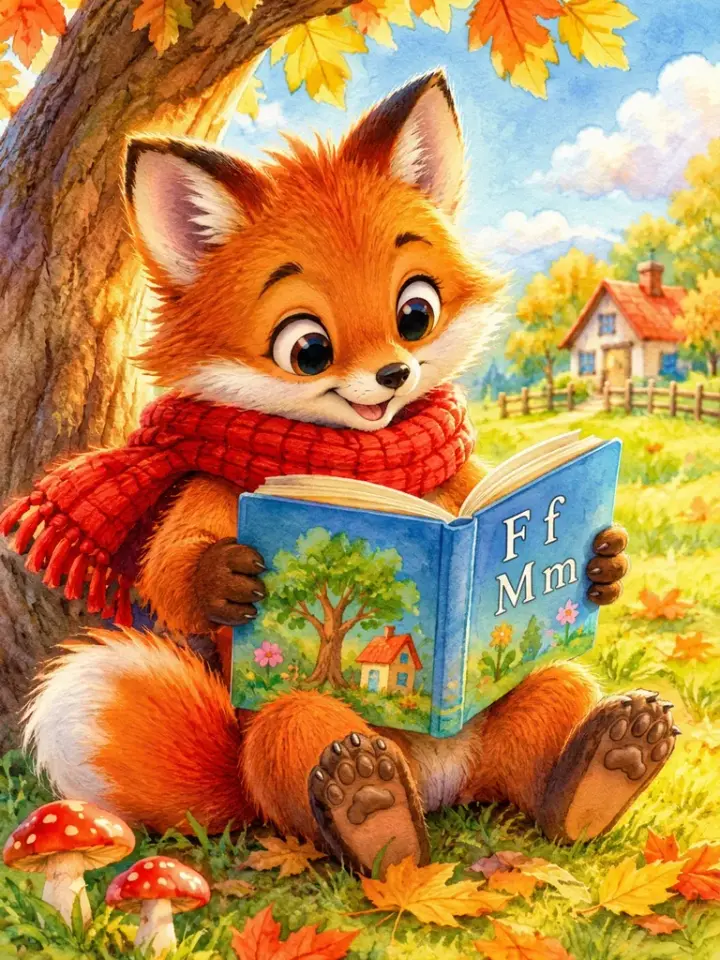
Make image look less AI on a watercolor and keep it painted
On an illustration the tells are the bloom on the edges, not the style. This children's-book fox is still a watercolor with the same layout after the run, and little else changed visibly. The garbled cover of the book it reads came back as plainer letters, still not words.
- Illustration
- Style kept
- Bloom
Remove AI look: what it tones down and what it keeps
How to spot each tell, what changed in our runs, and what to check in your own result.
Glow and halos
A bright outline around the subject or bloom along every edge. It went away in our product and wedding runs; check the outline of hair and fur in yours.
Neon, over-saturated color
Color louder than the scene: neon pink, turquoise, magenta. Our runs pulled it back without muting the picture; check that product and brand colors still match.
Waxy skin and plastic sheen
Poreless skin and products with one smooth shine. Skin texture came back in our portrait run; check the teeth, which stayed very white.
Haze and blown-out light
Backlight that washes out faces, or light with no clear source. Our wedding run came back calmer; check that faces still look like the same people.
Starburst suns and HDR skies
Rays around the sun, glowing ridges, a sky that looks painted. The starburst shrank in our lake run, but the image stayed vivid: expect calmer, not muted.
Our watercolor kept its style
Our children's-book watercolor fox came back as the same watercolor in the same layout. The pass aims to keep drawings drawn; to turn one into a photo, use Image Realistic.
Where people make image look less AI
Anyone with an AI image that is right in content and only wrong in finish.
AI product photos for store listings
A product render with glowing edges and neon color can look like an ad rather than the item. In our sneaker run the halo went, the color calmed and the shoes stayed the same.
AI wedding and event photos
A golden haze over every face is a common AI finish. In our wedding run the haze lifted, the exposure calmed and the skin showed texture.
Travel and landscape posts
Extreme HDR color and a starburst sun are common in AI landscapes. Our lake run calmed both while the place stayed vivid.
AI illustrations and children's books
A drawing should keep its style. The pass goes for the bloom on the outlines and aims to leave the paint, line work and layout alone, as with our watercolor fox.
Slides and pitch decks
An AI image with a glow and loud color can look out of place next to real photos and charts on a slide. Toning those down is a smaller step than making a new image.
Social and blog images
Header images and posts made with AI often share the same glow. Toning it down keeps the picture you chose instead of rolling a new one.
Make image look less AI, humanize it or make it real
Four ways to deal with an AI image that looks generated, from the lightest to a full redo.
| Remove AI Look | AI Image Humanizer | Image Realistic | A new generation | |
|---|---|---|---|---|
| Goal | Tone down the AI tells | Read as a phone photo someone took | Aim for a photographic look | A different image from a new prompt |
| Art style | Aims to keep it | Aims to keep it | Replaced by a photographic look | Whatever the prompt asks |
| How much moves | Designed as the lightest pass | More: skin, light and color | The most: style and materials | Everything |
| Starts from | Your AI image | Your AI image | An AI image, render, game or painting | A text prompt |
| Fits best when | The picture is right but looks generated | It should look like an everyday snapshot | It must look photographed | The composition, hands or text are wrong |
More AI photo tools from IVJ
 AI Image HumanizerTarget the waxy skin, glow and haze on an AI image with the instruction already written, aiming to keep subject and pose.
 Image RealisticImage realistic redraws anime, 3D renders, game screenshots and AI art toward a photo, with real skin, light and lens, aiming to keep pose and layout.
 AI Photo EditorAn AI photo editor you run with words: describe a new image, or add photos and say what to change. Your first image is free, no sign-up.
 4K Image UpscalerThis 4K image upscaler enlarges one photo to a 2K, 4K or 8K target, and the panel shows how much before you start. Your first image is free, no sign-up needed.